Due to an increase in spam, I’ve had to disable comments for all posts older than 14 days. Sorry about this.
Introducing Grapher
I just found myself in the situation where i need to be able to create bargraphs.
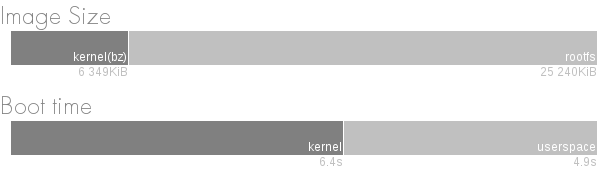
The design is fairly limited: a row of stacked bars with optional labels under and inside each bar.
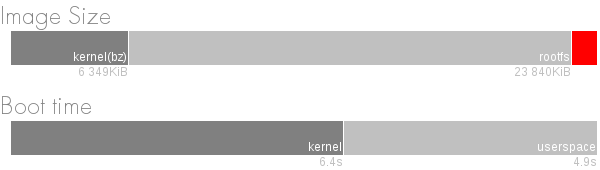
I also want to be able to color the bars.
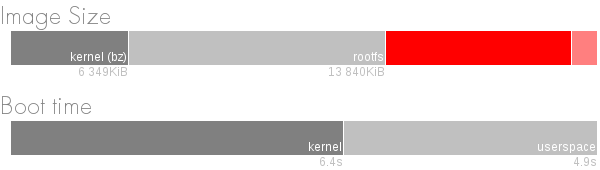
I wrote a quick little PyQt-based Python program. It lets you write things like this:
bs = BarGraphStack()

bg = BarGraph()

bg.setTitle("Image Size")

bg.addBar(Bar(6349, Qt.Qt.darkGray, "6 349KiB", "kernel(bz)"))

bg.addBar(Bar(25240, Qt.Qt.lightGray, "25 240KiB", "rootfs"))

bs.addBarGraph(bg)

i = bs.render();

# i is a QImage
You can get the latest source code from the Grapher github repository. It is probably obvious that this is Python code written by a C++ guy, but I hope that it still might be useful.
Now I need to add some steps to feed it data automatically, but that is for another day.
Yocto part IV – going on a diet
This time we will start looking at how we can reduce the image size of the diet-image. Before we start, lets do a super-quick recap of the first three installments (i, ii, iii):
Start by creating and populating a project area:
mkdir minimal

cd minimal/

git clone git://git.yoctoproject.org/poky

cd poky/

git checkout -b daisy origin/daisy

source oe-init-build-env minimal-qemu

cd ..

git clone https://github.com/e8johan/meta-diet.git

cd minimal-qemu/

vim conf/local.conf
Add the following lines at the end of conf/local.conf.
DISTRO_FEATURES_append = " systemd"

VIRTUAL-RUNTIME_init_manager = "systemd"

DISTRO_FEATURES_BACKFILL_CONSIDERED = "sysvinit"

VIRTUAL-RUNTIME_initscripts = ""
INHERIT += "buildhistory"

BUILDHISTORY_COMMIT = "1"
Add the meta-diet layer to BBLAYERS in conf/bblayer.conf, and build the image.
bitbake diet-image
And now, lets get back to business.
Today, I will demonstrate how to modify an existing package through a bbappend file, but first, some background.
Back in part ii, I presented a list of the packages included on the image. Something that surprised me was the inclusion of libx11-6 and libxcb. Both associated with the X windowing system which the image does not include. Using the depents.dot file, I found that the source of this dependency was the dbus package. To be more exact, this line from meta/recipes-core/dbus/dbus.inc:
PACKAGECONFIG[x11] = "--with-x --enable-x11-autolaunch,--without-x --disable-x11-autolaunch, virtual/libx11 libsm"
The nice thing about PACKAGECONFIG lines like the one above, is that they contain two halves – one to use if the feature is enabled, and one to use if the feature is disabled. So, what we need to do, is to ensure that PACKAGECONFIG does not include “x11”. I prefer to do this using a bbappend file.
A bbappend file is used to override, or append, configuration options to an existing bb file, i.e. a package recipe. At the time of writing, the d-bus package is named dbus_1.6.18.bb, so the corresponding append file is named dbus_1.6.18.bbappend. I put it in the recipes-core/dbus subdirectory, inside the meta-diet layer.
As we want to remove the dependency on X11, I create an append file with the following line:
PACKAGECONFIG_remove = "x11"
The file is available from the meta-diet layer on github. Use the tag part-iv to get the right version.
Building the image again, we can see that the libx11-6 and libxcb references are gone from the installed-package-sizes.txt build statistics file:
 8637 KiB systemd

4487 KiB udev-hwdb

3042 KiB libc6

1221 KiB e2fsprogs-e2fsck

1153 KiB shadow

789 KiB dbus-1

547 KiB kmod

532 KiB busybox

398 KiB udev

349 KiB libkmod2

297 KiB libext2fs2

296 KiB libdbus-1-3

261 KiB libmount1

249 KiB udev-utils

241 KiB libblkid1

233 KiB systemd-analyze

161 KiB liblzma5

159 KiB libexpat1

110 KiB v86d

94 KiB util-linux-fsck

86 KiB libz1

83 KiB libgcc1

36 KiB systemd-binfmt

32 KiB kernel-module-uvesafb

31 KiB util-linux-mount

31 KiB libwrap0

30 KiB libacl1

29 KiB util-linux-agetty

27 KiB libe2p2

23 KiB netbase

20 KiB kernel-3.14.0-yocto-standard

16 KiB libattr1

15 KiB libcap2

14 KiB libuuid1

11 KiB kernel-module-binfmt-misc

10 KiB libcom-err2

5 KiB update-rc.d

4 KiB update-alternatives-opkg

4 KiB base-files

3 KiB busybox-udhcpc

2 KiB shadow-securetty

2 KiB run-postinsts

1 KiB systemd-serialgetty

1 KiB busybox-syslog

0 KiB systemd-compat-units

0 KiB packagegroup-core-boot

0 KiB base-passwd
Comparing this to the previous list, we just shaved off 1423 KiB. Lets call that a success for today, and we will have a good look at udev next time.
Update! Thanks Erik, for telling me about the *_remove. I only knew about *_append. Also, fixed the quotation marks in the snippet for enabling build history. Again, well spotted by Erik.
Yocto part III – a custom meta layer
In this part of the series (previous: i, ii) we will have a look at setting up our own meta layer, so that we can make changes without having to fork the Yocto recipes.
The easiest way to create a layer is to use the yocto-layer tool. To fully understand what a layer consists of, I recommend looking at the instructions for creating a layer manually as well. So, long story short:
 cd ..

yocto-layer create diet
The name, meta-diet, comes from my goal with this series – to create a minimal fast booting image. Only time will tell how well that goes.
The yocto-layer create command produces an MIT-licensed layer. The MIT license is a weak copyleft, so you can choose to close it. I’ll leave it open for your enjoyment. Also, remember to change the README file. It contains a few references to xxxx and yyyy, which would be you and your project.
As we don’t want the layer to be a part of the layers provided by the Yocto project, we need to separate it out. To do this, change the directory so that you stand in the meta-diet directory and run:
git init
Now you are free to do what you like. I suggest making a commit of what is there and perhaps add a remote so that you can push your changes somewhere.
An empty layer is only so much fun, so lets start by adding a recipe for your core-image-minimal, enhanced with systemd-analyze. First, let’s create a directory for the recipe:
mkdir -p recipes-diet/images
In that directory, create the diet-image.bb file using your favorite, non-emacs, editor. Put the following code in it. This means that we use the core-image-minimal as base, and add systemd-analyze to what we want to install onto the image.
require recipes-core/images/core-image-minimal.bb
IMAGE_INSTALL += "systemd-analyze"
As copying code from a blog post is boring, I’ve put the layer on github as meta-diet. For this installment, use the part-iii tag.
To build the diet image, change directory to the build directory and edit the conf/bblayers.conf file. Simply add the new layer to the BBLAYERS variable. Now you can bitbake the new image as simple as:
bitbake diet-image
So, this installment got us nowhere feature wise, but now we have everything in place to start experimenting!
Yocto part II – baseline image size
In the first installment of this series, we established a base line image and had a look at the initial boot performance. This time, we will establish a baseline for the image size. In an embedded system, these two factors often go hand in hand, as reading data from FLASH often consumes a considerable amount of time during boot.
It is fairly easy to see how large the resulting root file system and kernel are, but we need more detail. To enable some statistics for the sizes of the various packages built, we first need to enable build history and rebuild our baseline image. Build history is enabled by adding the following lines to the local.conf file.
 INHERIT += "buildhistory"

BUILDHISTORY_COMMIT = "1"
This produces a set of files with statistics in buildhistory/images/qemux86/eglibc/core-image-minimal. The files-in-image.txt file, a detailed list of all the files of the system, along with their sizes, is listed. In the installed-package-sizes.txt, we get a list of responsible packages. The list for a baseline image can be seen below.
 8641 KiB systemd

4487 KiB udev-hwdb

3042 KiB libc6

1290 KiB libx11-6

1221 KiB e2fsprogs-e2fsck

1153 KiB shadow

798  KiB dbus-1

547  KiB kmod

532  KiB busybox

398  KiB udev

350  KiB libkmod2

299  KiB libdbus-1-3

297  KiB libext2fs2

261  KiB libmount1

249  KiB udev-utils

241  KiB libblkid1

233  KiB systemd-analyze

161  KiB liblzma5

159  KiB libexpat1

133  KiB libxcb1

110  KiB v86d

94   KiB util-linux-fsck

86   KiB libz1

83   KiB libgcc1

36   KiB systemd-binfmt

32   KiB kernel-module-uvesafb

31   KiB util-linux-mount

31   KiB libwrap0

30   KiB libacl1

29   KiB util-linux-agetty

27   KiB libe2p2

23   KiB netbase

20   KiB kernel-3.14.0-yocto-standard

19   KiB libxdmcp6

16   KiB libattr1

15   KiB libcap2

14   KiB libuuid1

11   KiB kernel-module-binfmt-misc

10   KiB libcom-err2

9    KiB libxau6

5    KiB update-rc.d

4    KiB update-alternatives-opkg

4    KiB base-files

3    KiB busybox-udhcpc

2    KiB shadow-securetty

2    KiB run-postinsts

1    KiB systemd-serialgetty

1    KiB busybox-syslog

0    KiB systemd-compat-units

0    KiB packagegroup-core-boot

0    KiB base-passwd
In addition to this, the bz kernel image is 6.2MiB.
My approach to this system will be that of a gadget maker, so when trying to optimize the size of the system, I will try to use as much as possible of what I know of the target hardware to minimize the size. This ought to make it possible to reduce the kernel, the udev-hwdb and more. In addition to this, Lennart says that systemd is tweakable when it comes to size. I’m looking forward to trying this.
That is all for this installment. Next time we will have a look at setting up our own meta layer to start playing with, then we will try to create a truly minimalist and fast booting image.
Yocto part I – baseline boot time
The Yocto project provides a set of tools to build custom distribution images from scratch. When using Yocto, the image, and all the tooling used to build the image, is built from recipes. These recipes are parsed using the bitbake command. The recipes have dependencies, just as ordinary packages in a classical distro. By pointing to an image recipe, a dependency tree will be constructed and a large number of packages will be downloaded, built and then assembled into a single image.
In this little series of blog posts, I aim to have a look at what can be done about size and performance for the minimal core image that comes with the system. The target system will be an x86 QEMU machine. So, my starting point is the outcome of the Yocto Project Quick Start. Before I get started, let me also point out the excellent Yocto Project Reference Manual.
My starting point is the core-image-minimal recipe, creating a minimal Linux system. It uses busybox, and provides very little, so it is a good baseline. I’d like to use systemd for booting the image, so before building, I added the following lines to my local.conf file (info source).
DISTRO_FEATURES_append = " systemd"

VIRTUAL-RUNTIME_init_manager = "systemd"

DISTRO_FEATURES_BACKFILL_CONSIDERED = "sysvinit"

VIRTUAL-RUNTIME_initscripts = ""
I’m also keen on having a look at the boot performance, so I added systemd-analyze to the IMAGE_INSTALL variable. I did this by modifying the meta/recipes-core/images/core-image-minimal.bb file. I know that this is bad practice, I will explain how to do this properly using a custom meta layer and image recipe in a later installment of this series.
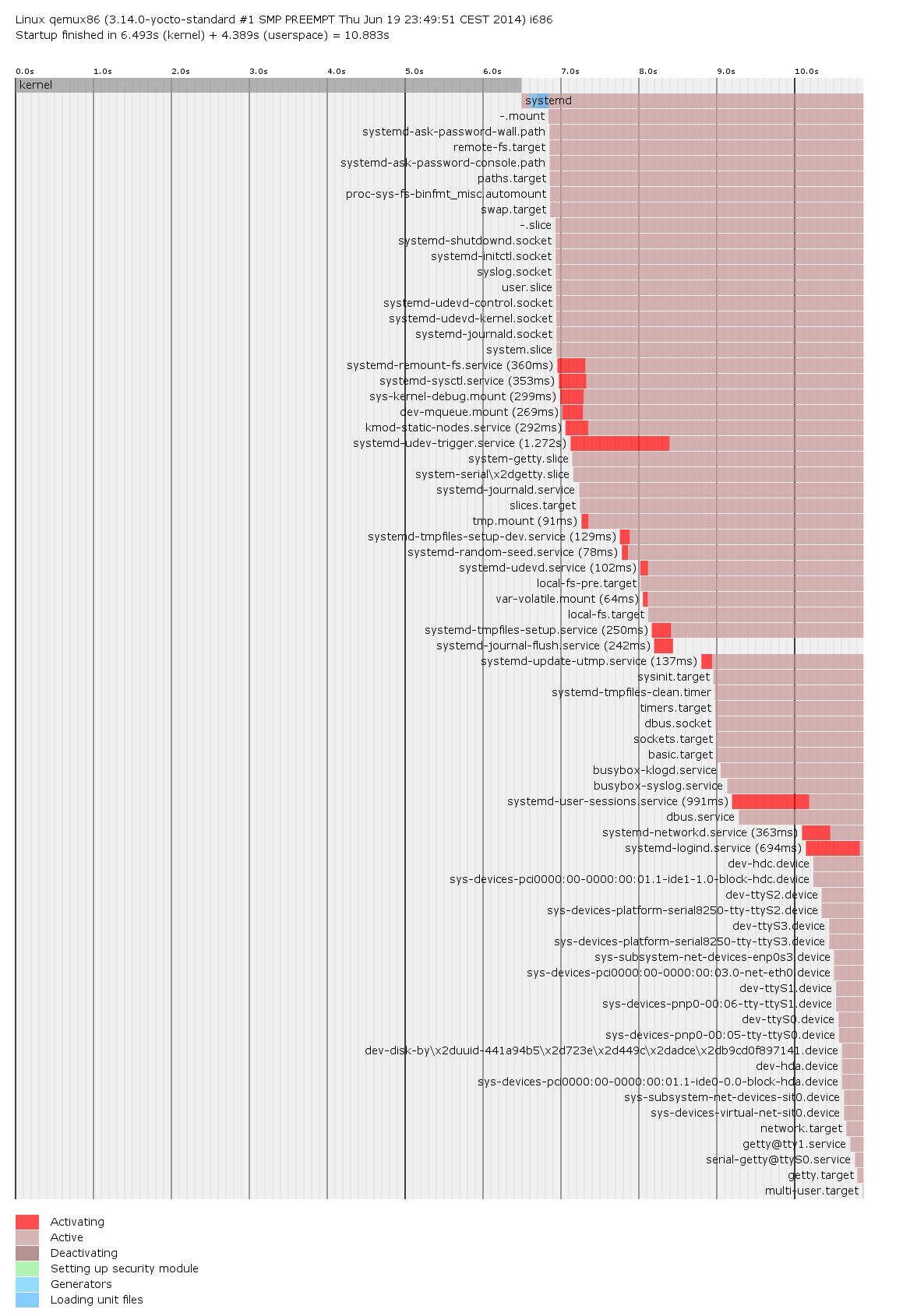
Having built and started the system, I get a boot time of 11.3s. Of these, 6.4s are spent to start the kernel, while the remaining 4.9s are spent in userspace. I also got a nice boot graph, as well as a list of systemd units to blame for the time the boot sequence consumed. I used a little netcat trick to get these files of the QEMU system to my host machine. Always nice, to avoid adding cruft to the image.
1.272s systemd-udev-trigger.service

991ms systemd-user-sessions.service

694ms systemd-logind.service

363ms systemd-networkd.service

360ms systemd-remount-fs.service

353ms systemd-sysctl.service

299ms sys-kernel-debug.mount

292ms kmod-static-nodes.service

269ms dev-mqueue.mount

250ms systemd-tmpfiles-setup.service

242ms systemd-journal-flush.service

137ms systemd-update-utmp.service

129ms systemd-tmpfiles-setup-dev.service

102ms systemd-udevd.service

91ms tmp.mount

78ms systemd-random-seed.service

64ms var-volatile.mount
Next time, we will have a closer look on the base line image size, before we start looking at what we can do to optimize things.
Qt Contributors Summit 2014
I’m writing from a warm and sunny Berlin, having attended my first Qt Contributors Summit. It is always nice to meet the Qt developer team, and to get a chance to hang out with the Pelagicorians from our Munich office.
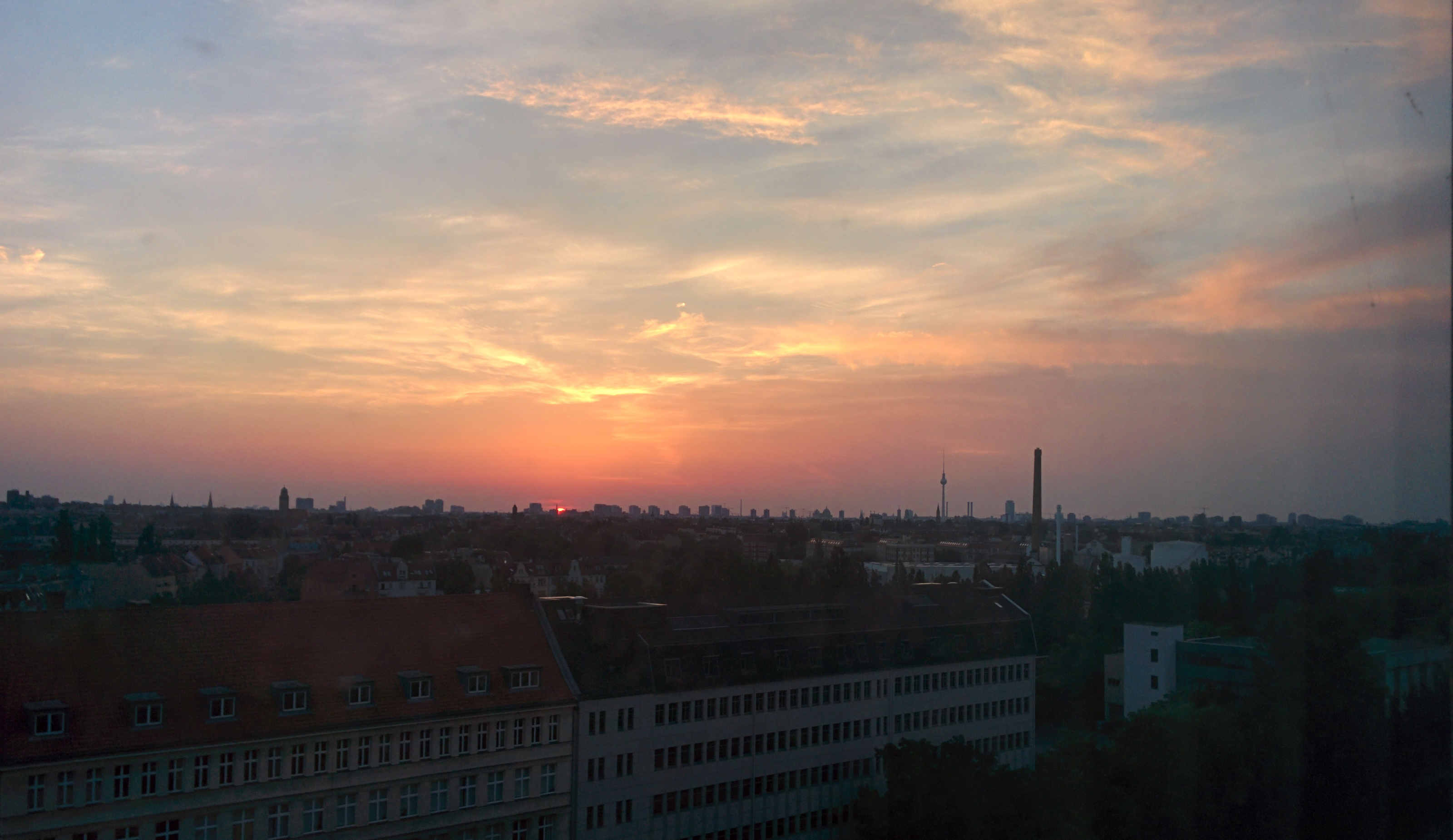 This conference really acts as a good balance to Qt Developer Days. Where QtDD consists of speeches and focuses on information for the users of Qt, the QtCS consists of open discussions focusing on the development of Qt. I, personally, will take two things with me from here: the vibrant community and the openness of Qt.
It is nice to see the community in action. There are people from KDE, Digia, KDAB, ICS, Intel, Canonical, Jolla, Pelagicore and more attending. This really shows how strong Qt has grown through the qt-project. Opening up development to people outside what was Trolltech / Nokia really has resulted in a strong community.
Having people from potentially competing companies at a joint developer conference can be a difficult thing. Here, however, the discussions have been open and honest. As a developer, it is really nice to see that Qt is driven by developers and not by politics. The discussions have been really great, letting everyone discuss their concerns and use-cases and agreeing on the direction going forward. All of you can read the minutes at the QtCS wiki.
Finally, I’d like to thank Pelagicore for letting me attend, and for sponsoring the QtCS this year.
Another hacknight in Gothenburg
The following announcement is in Swedish. Please ignore it if it does not make sense to you!
 Välkomna på foss-gbg hackafton!
Den 28/5 17:00 träffas vi för att lära oss om GNOME.
Andreas Nilsson och Mattias Bengtsson introducerar projektet, verktygen och hjälper er komma igång.
Vid åttasnåret drar vi vidare och umgås över en öl.
Pelagicore står för lokaler och bjuder på lättare tilltugg under tillställningen.
Inget inträde, men begränsat antal platser. Anmälan på eventbrite.
Welcome to another hack-night in Gothenburg
This post is in Swedish, please ignore if it does not make sense to you.
Välkomna till en hackafton den 23/4.
Vi träffas och hackar på våra projekt, samt lyssnar till två korta föredrag. Vi bjuder på lättare förtäring under hackandet och sedan
drar vi vidare till Biljardpalatset och umgås.
drar vi vidare till Biljardpalatset och umgås.
Spelar licensen någon roll?
Henrik o Rikard / Morus
Vi tittar på hur företag idag använder FOSS. Vilka möjligheter finns och vilka trender ser vi nu. Vi börjar och avslutar med ett licens-Quiz.
Introduktion till BeagleBone Black
Johan o Jeremiah / Pelagicore
Vi presenterar BeagleBone Black-plattformen – en perfekt utgångspunkt för Linux-baserade hårdvaruhack. Vi bygger en Yocto-baserad distro för den, men kör även en färdigbyggd Debian-distro.
Registrera er här https://www.eventbrite.com/e/
Pelagicore sponsrar med mat och lokaler!
Qt5 Cadaques 2014-01 released
We are happy to announce the 2014-01 release of Qt 5 Cadaques, a book on Qt. We’ve worked away over the holidays and are happy to bring you chapter 11, on networking. We’ve also restructured chapters 15 and 16, dealing with C++ and native code, so that they are ready to be fleshed out for our next release. In the existing text, we’ve made lots of updates to fix typos and grammar issues.
In addition to fixing and adding contents, we’ve worked on the site. We’ve changed the theme to “flatly”, as we feel that this makes the site nicer to look at and to read from. We’ve also started experimenting with building a PDF/ePUB release. You can find the download links for these at the top of the table of contents. We know that both these formats need polishing, but we will focus our efforts on completing the contents first.
Before I stop and let you all start reading I would like to thank everyone who has visited the site and read the book. The response has been fantastic and we’ve seen so many positive comments, received so many great issue reports and seen the traffic to this site really grow. Thank you for reading!